Gorgias Live Chat Integration
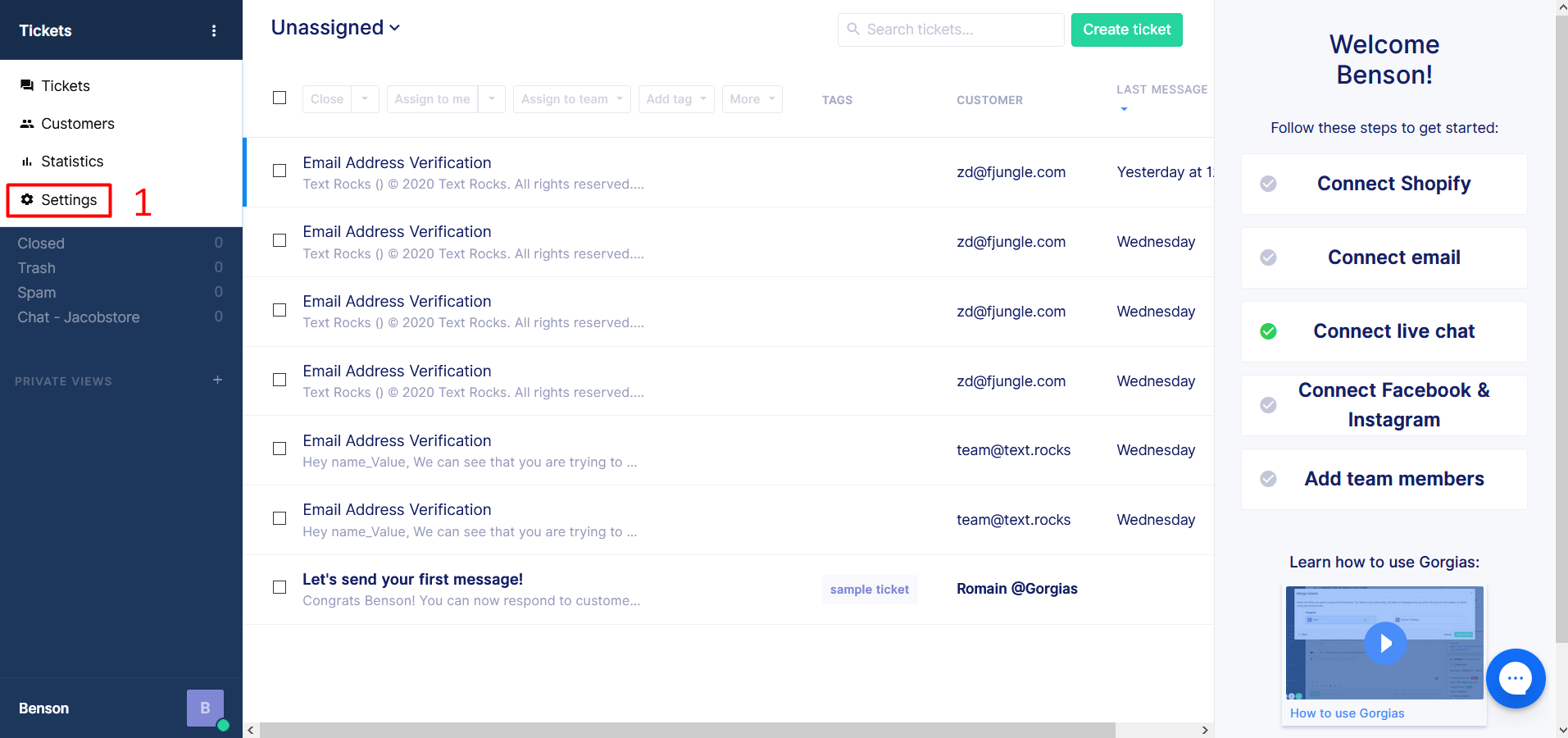
Step 1 – Login to Gorgias. Click on “Settings” on the left side menu.
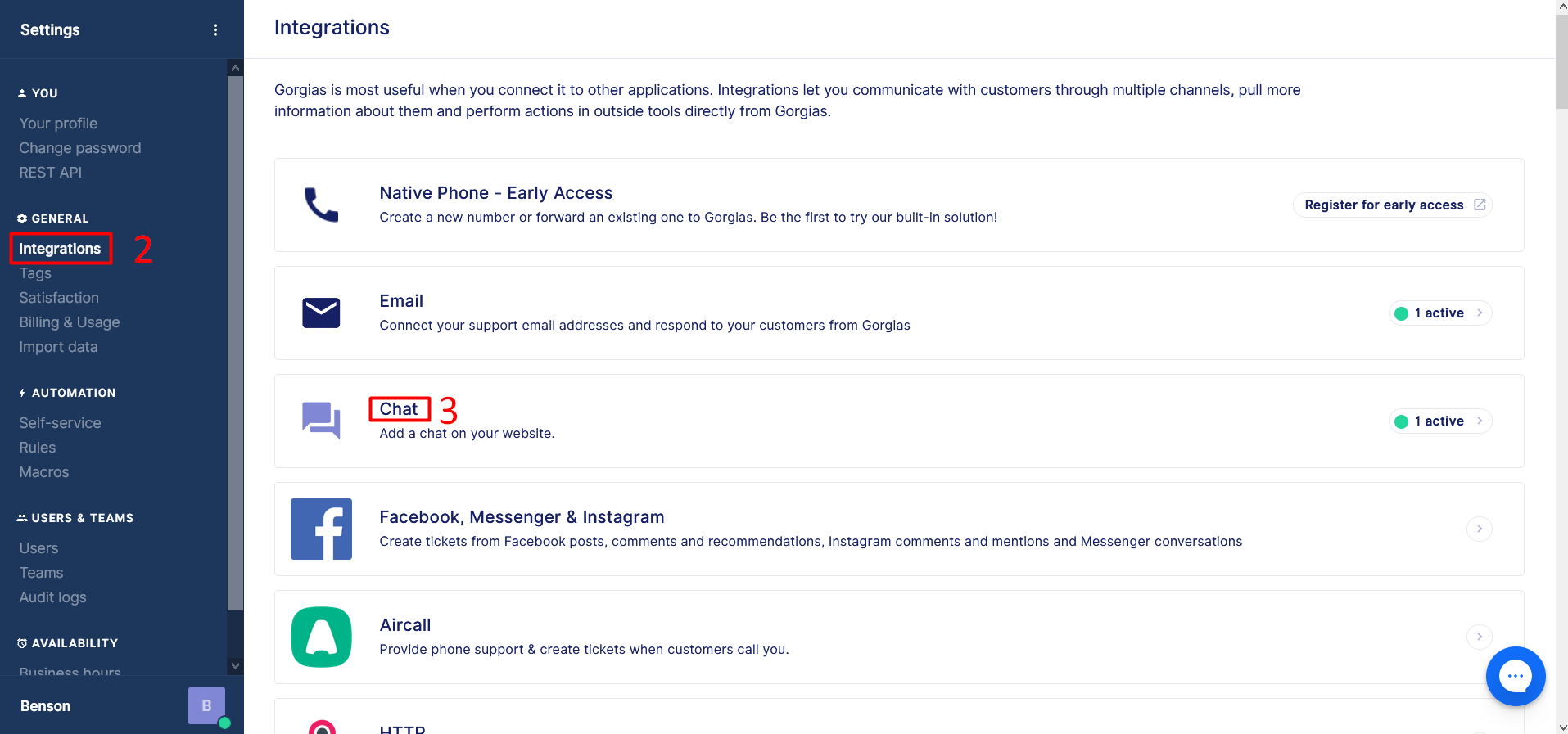
Step 2 – Click on “Integrations” on the left side menu Under the “General” Section.
Step 3 – Click on “Chat”
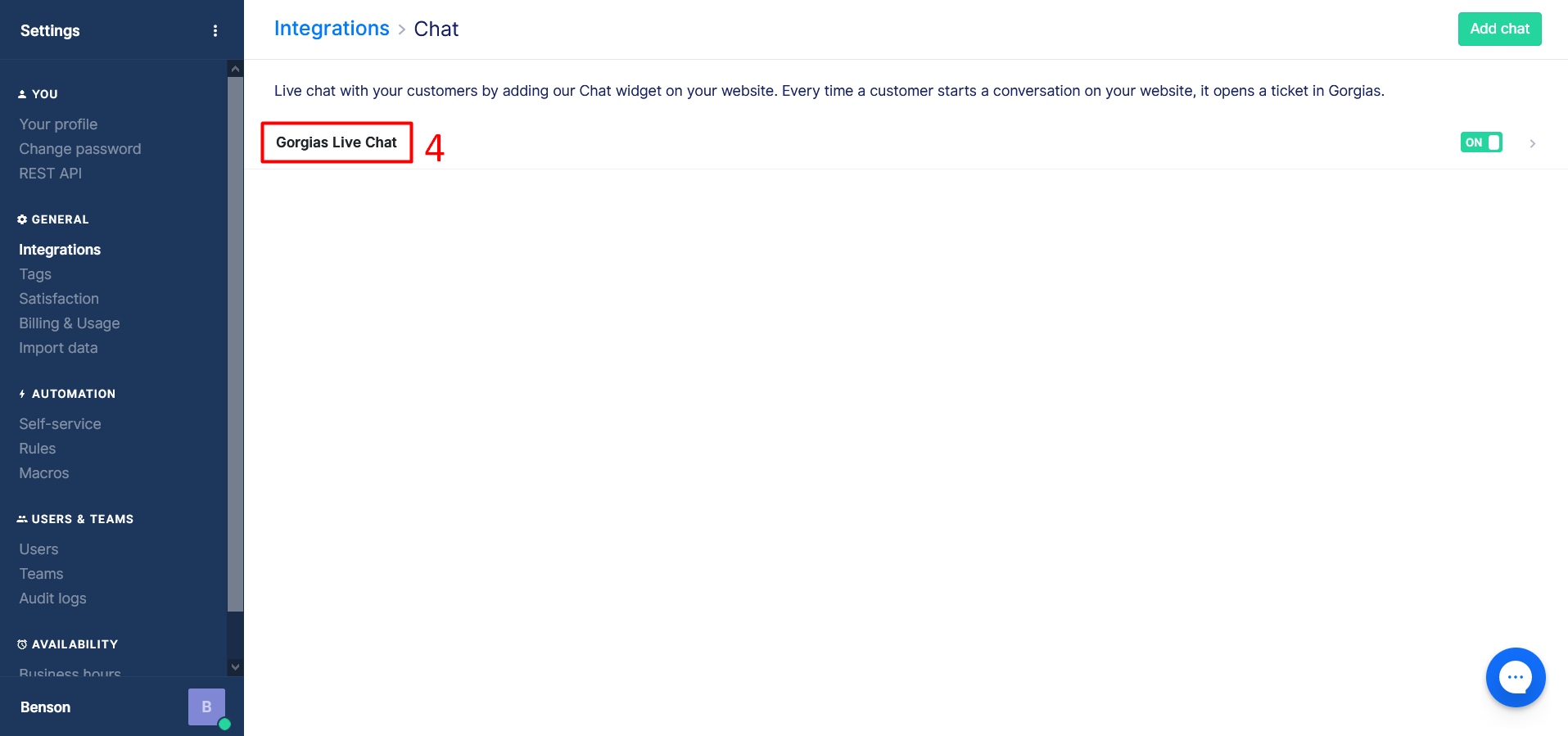
Step 4 – Click on “Chat Title”

Step 5 – Click on “Installation”
Step 6 – You can see the Gorgias live chat code here.
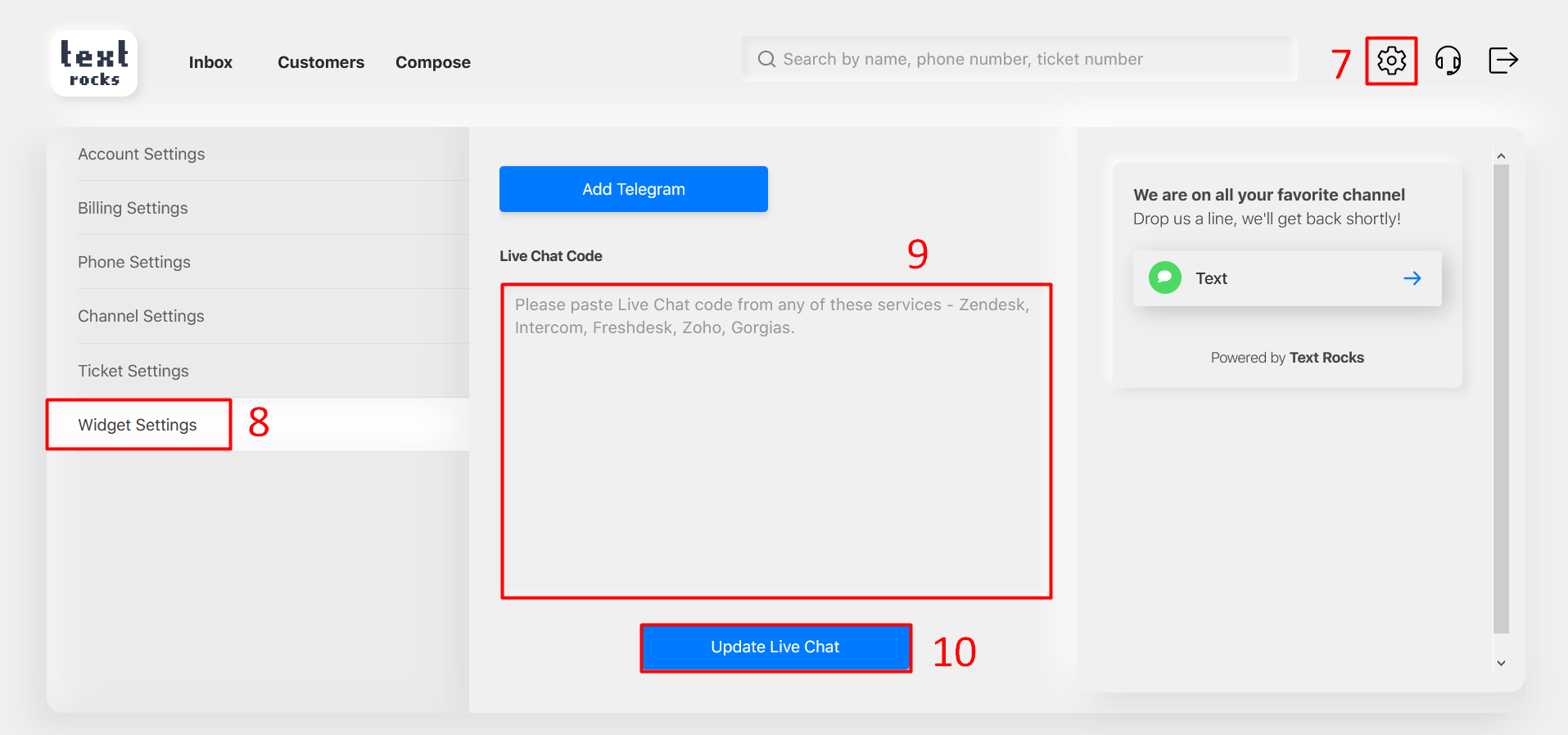
Step 7 – Click on “Settings” at the top right corner.
Step 8 – Click on “Widget Settings” on the left side menu.
Step 9 – Paste the Gorgias live chat code here.
Step 10 – Click on “Update Live Chat” button.
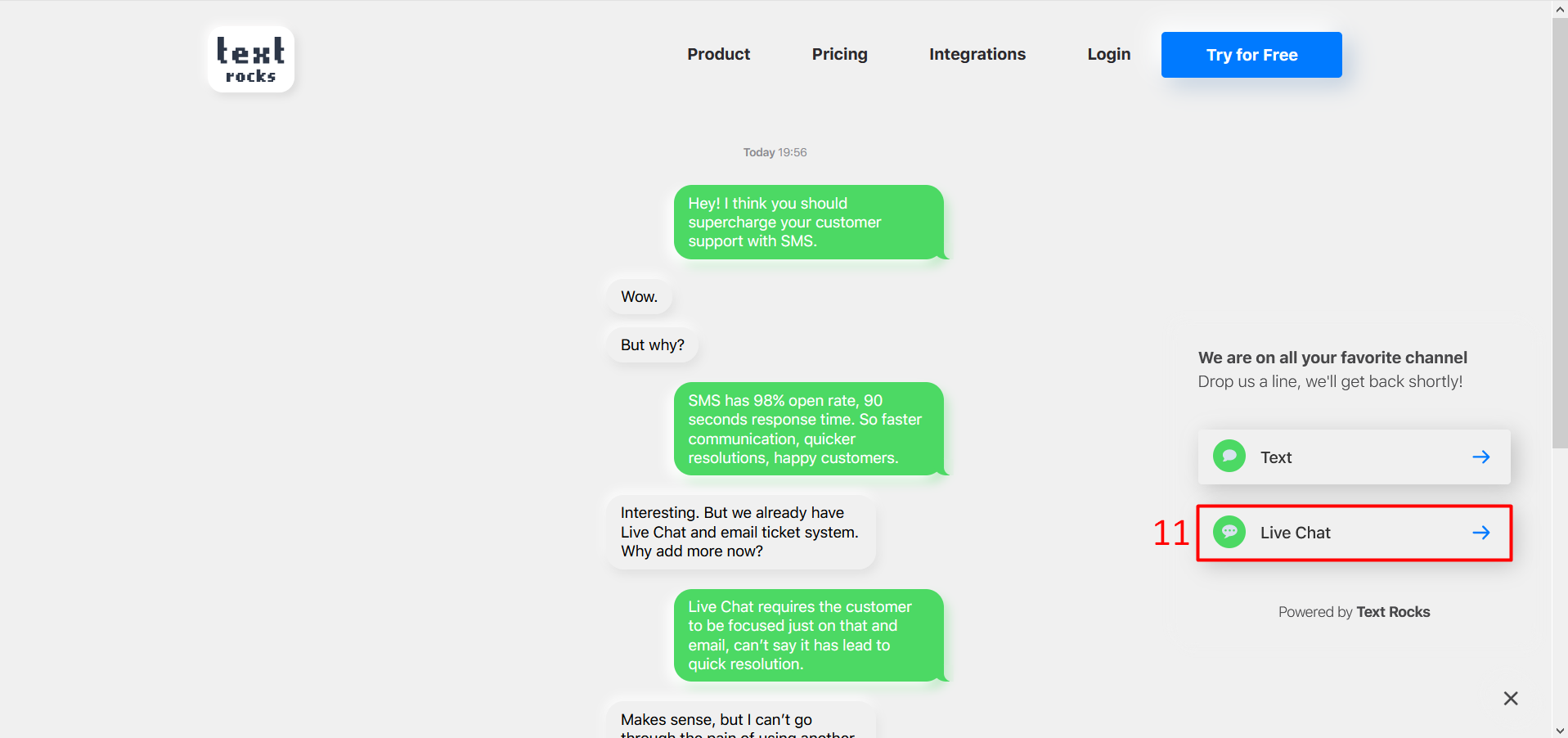
Step 11 – Click on “Live Chat’
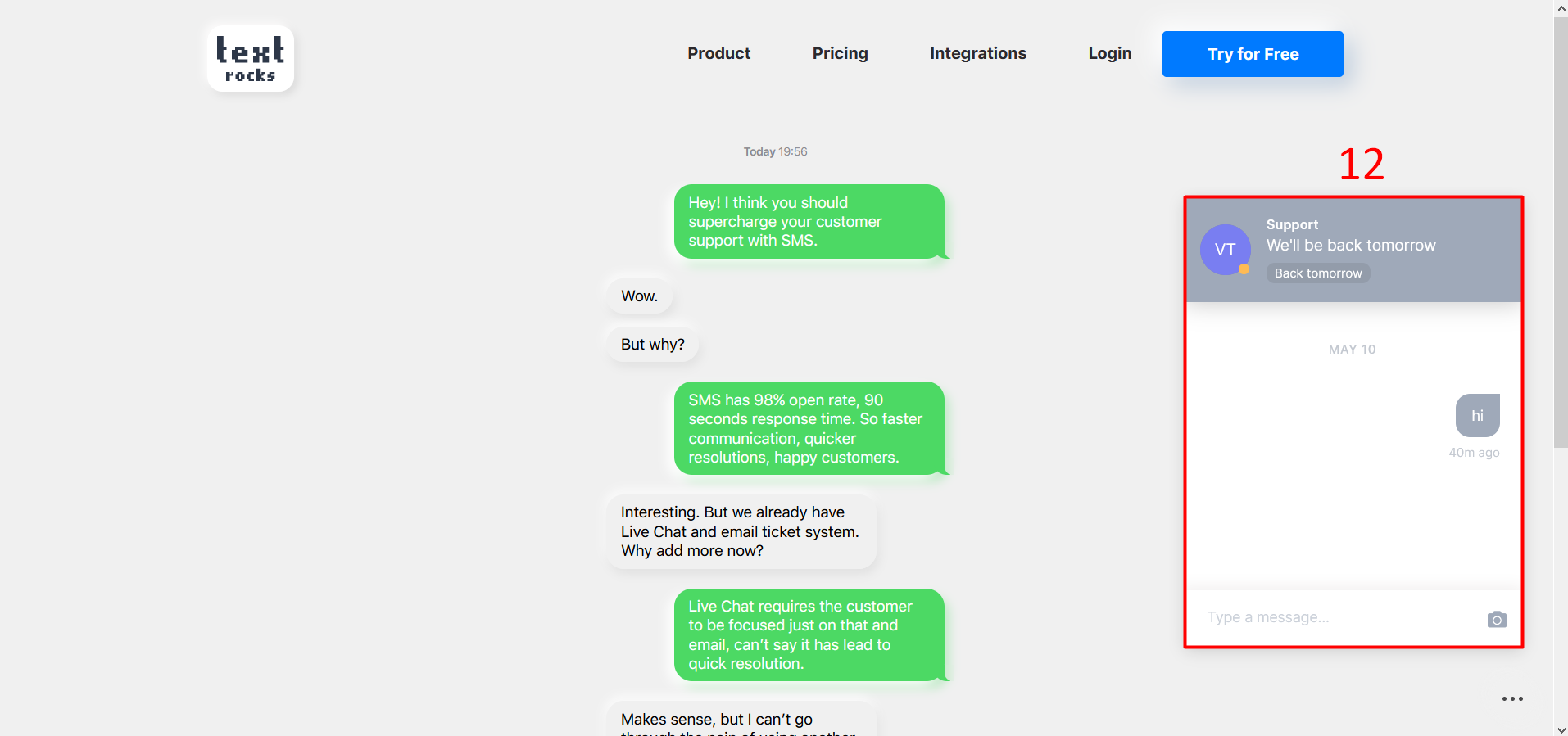
Step 12 – You can see the Gorgias live chat window.