Intercom Helpdesk Integration
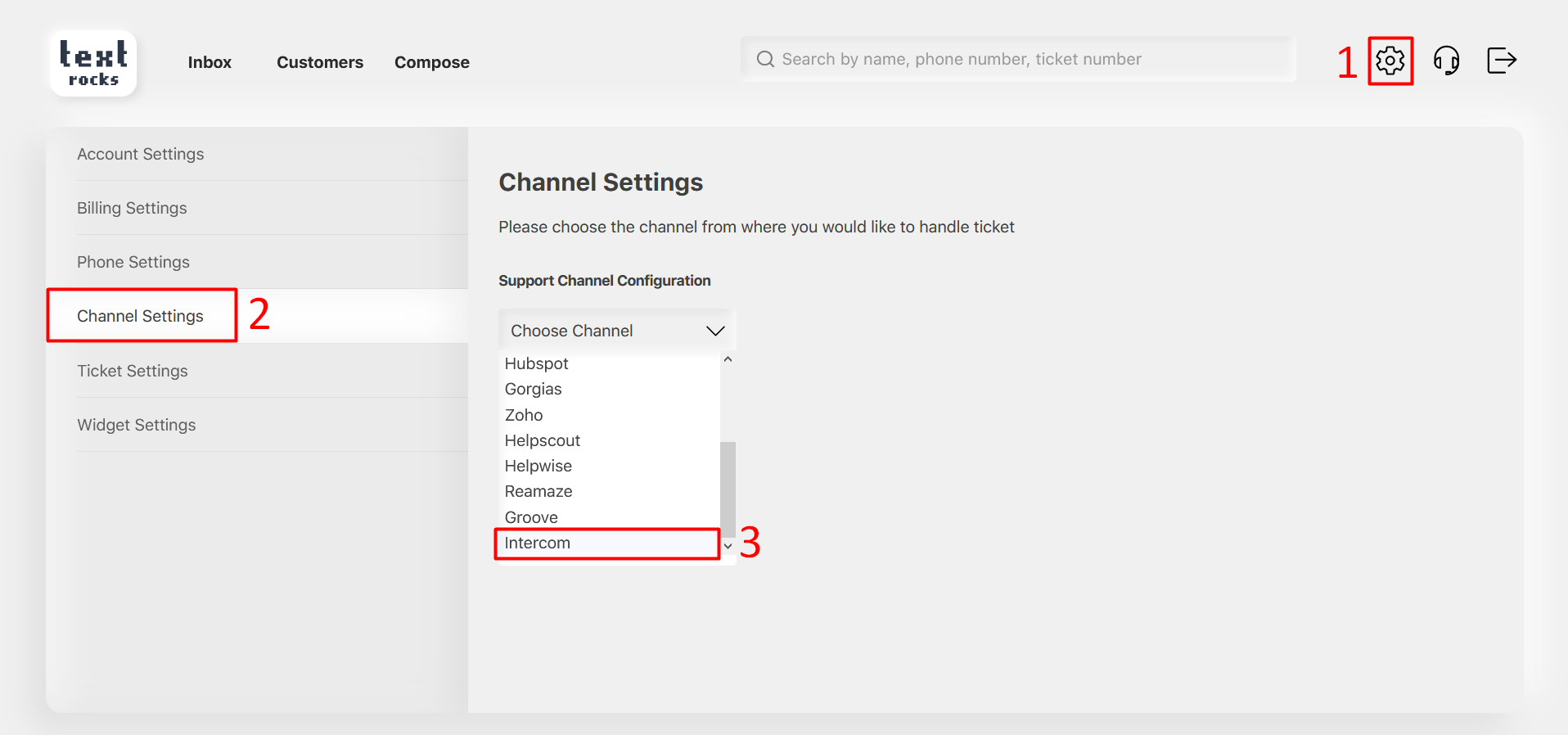
Step 1 – Click on “Settings” at the top right corner.
Step 2 – Click on “Channel Settings” on the left side menu.
Step 3 – Select “Intercom” helpdesk from the support channel dropdown list.
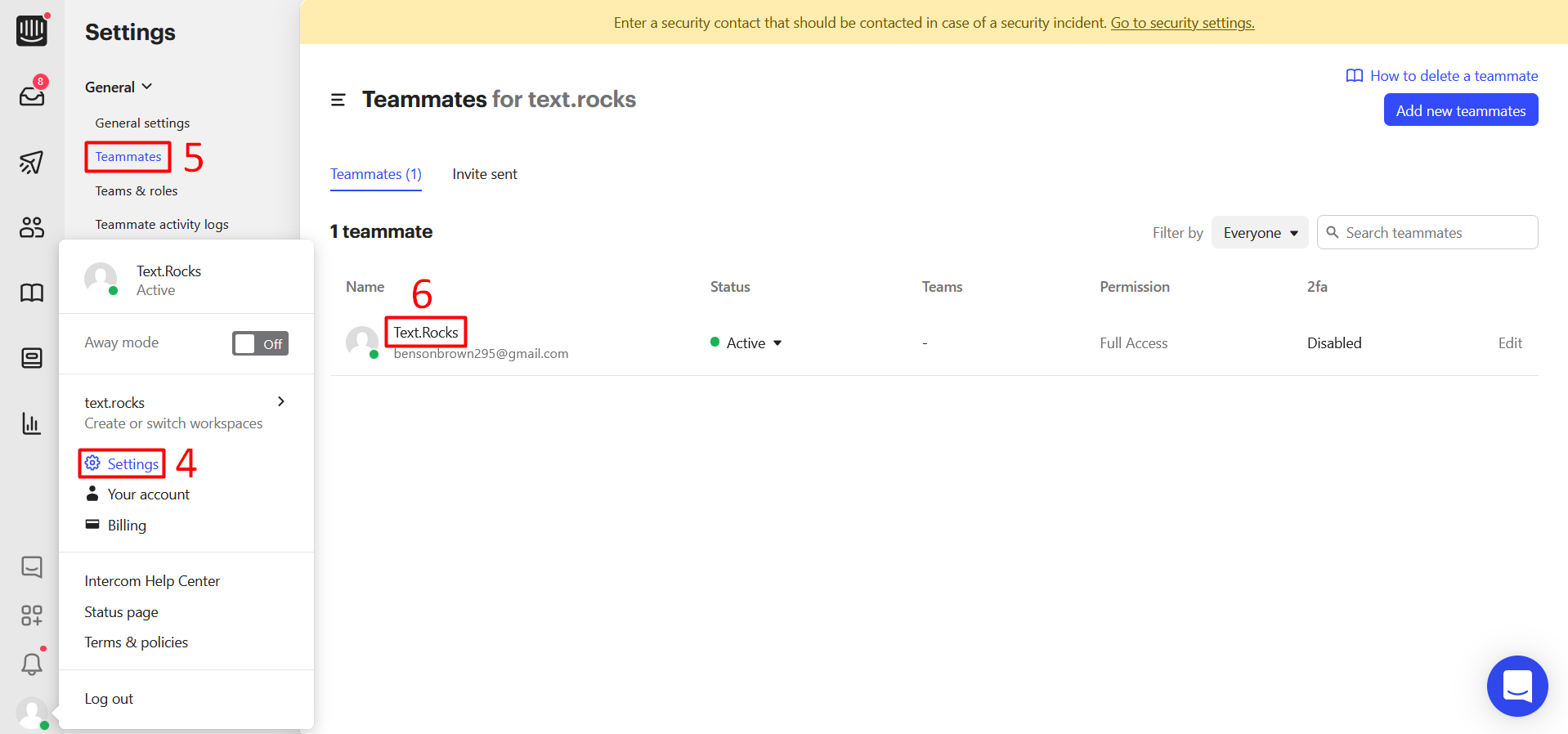
Step 4 – Login to Intercom. Click on “Settings”
Step 5 – Click on “Teammates” under the General
Step 6 – Click on Teammate Name.
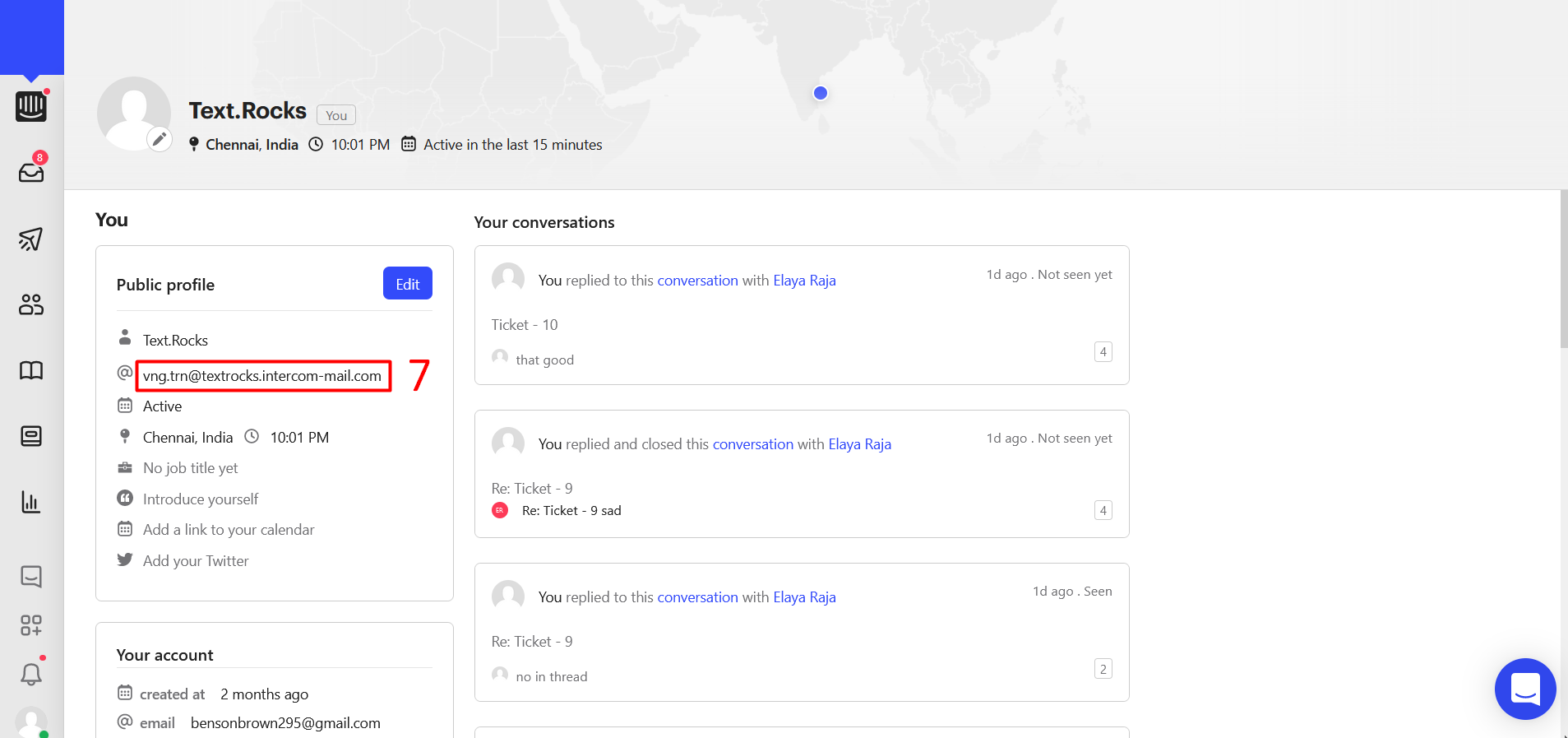
Step 7 – You can see the Intercom support email.
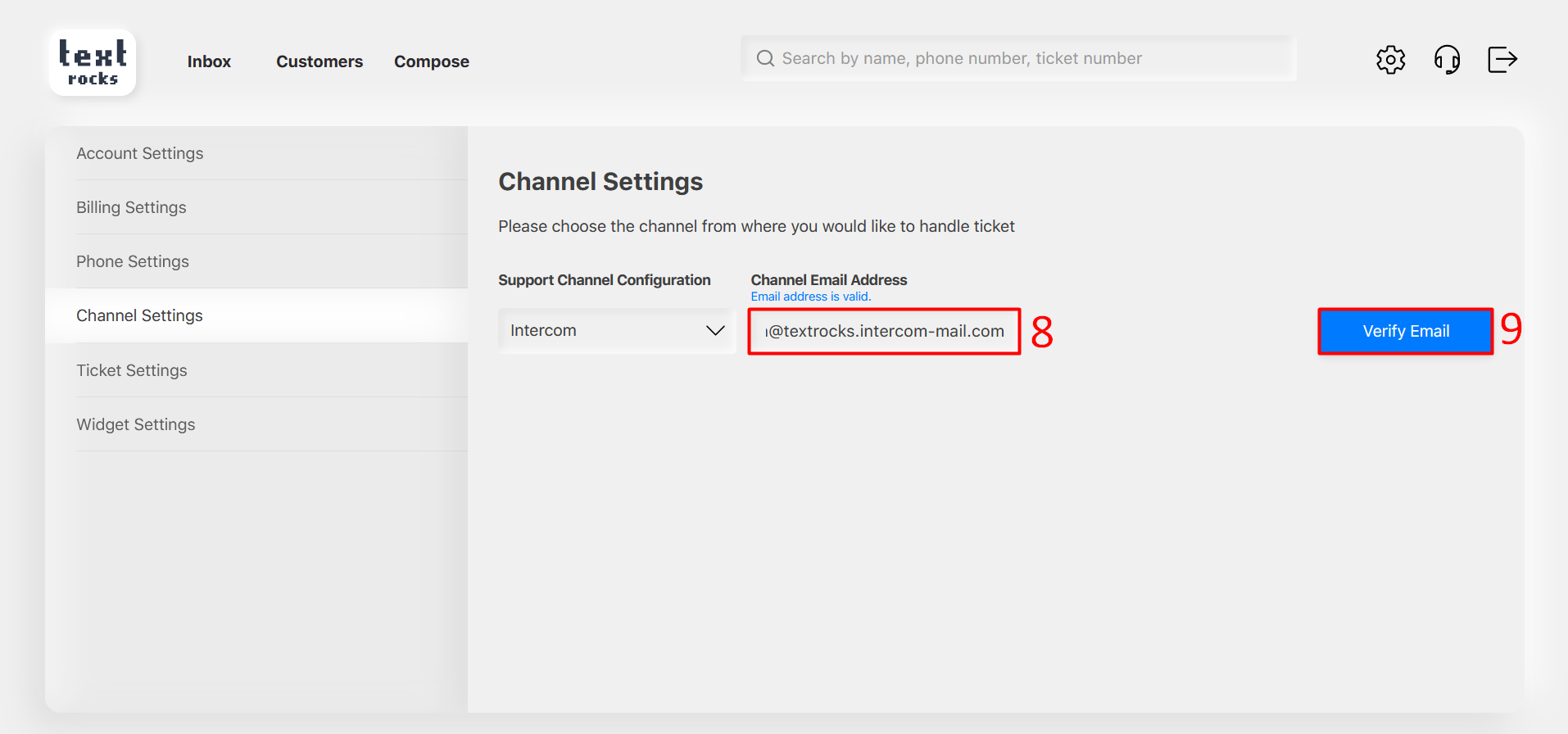
Step 8 – Enter Intercom support email.
Step 9 – Click on the “Verify Email” button.
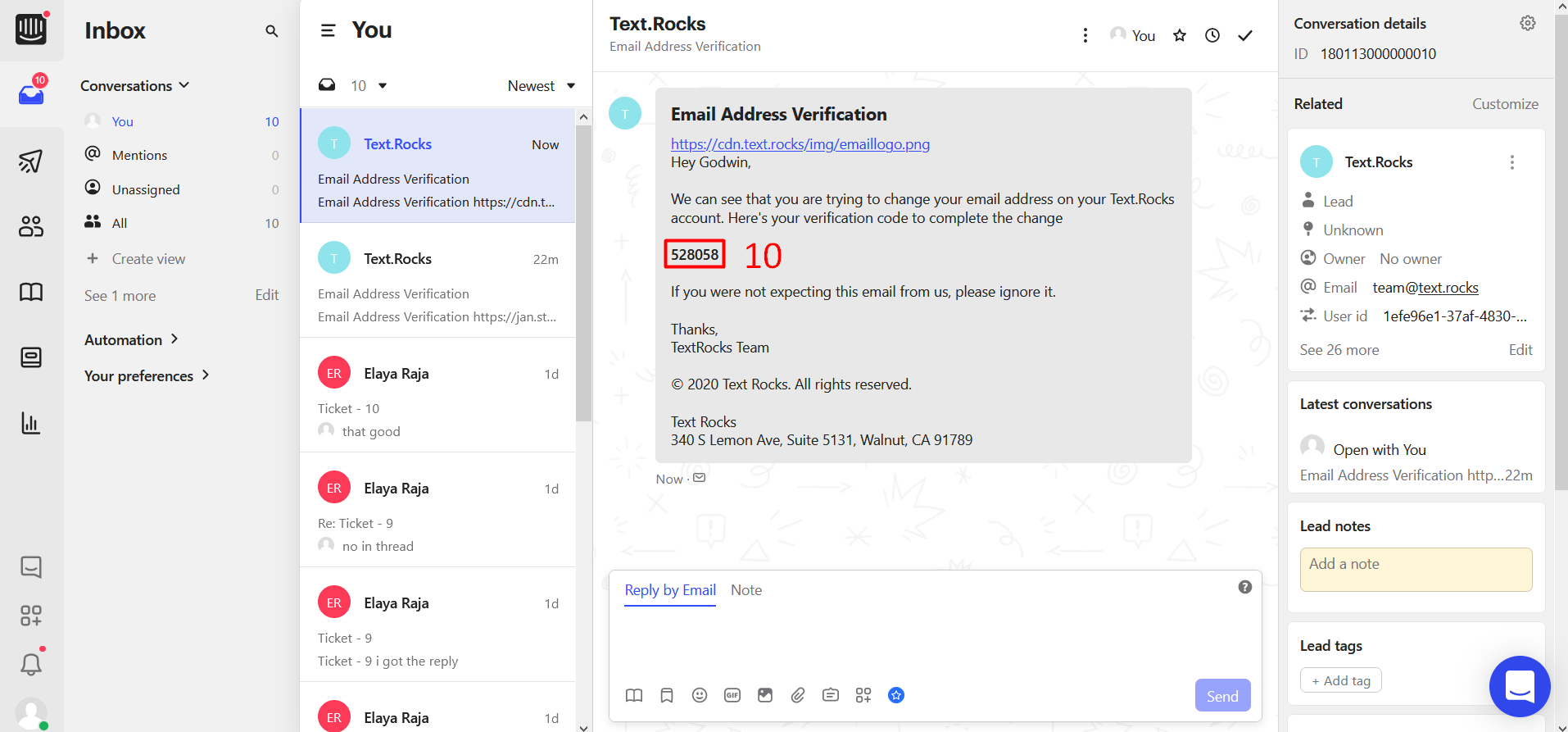
Step 10 – You can receive verification code on Intercom
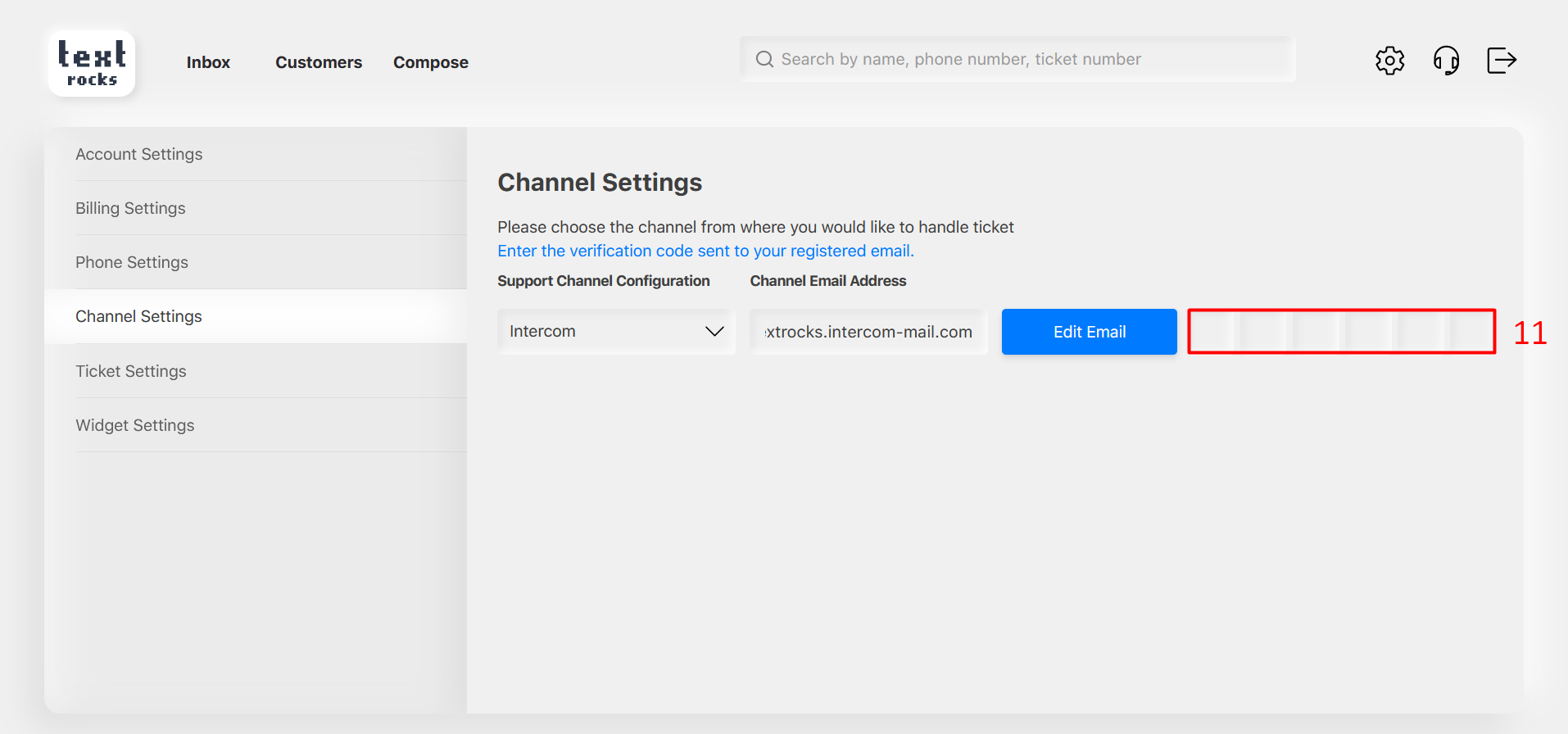
Step 11 – Enter the verification code here.
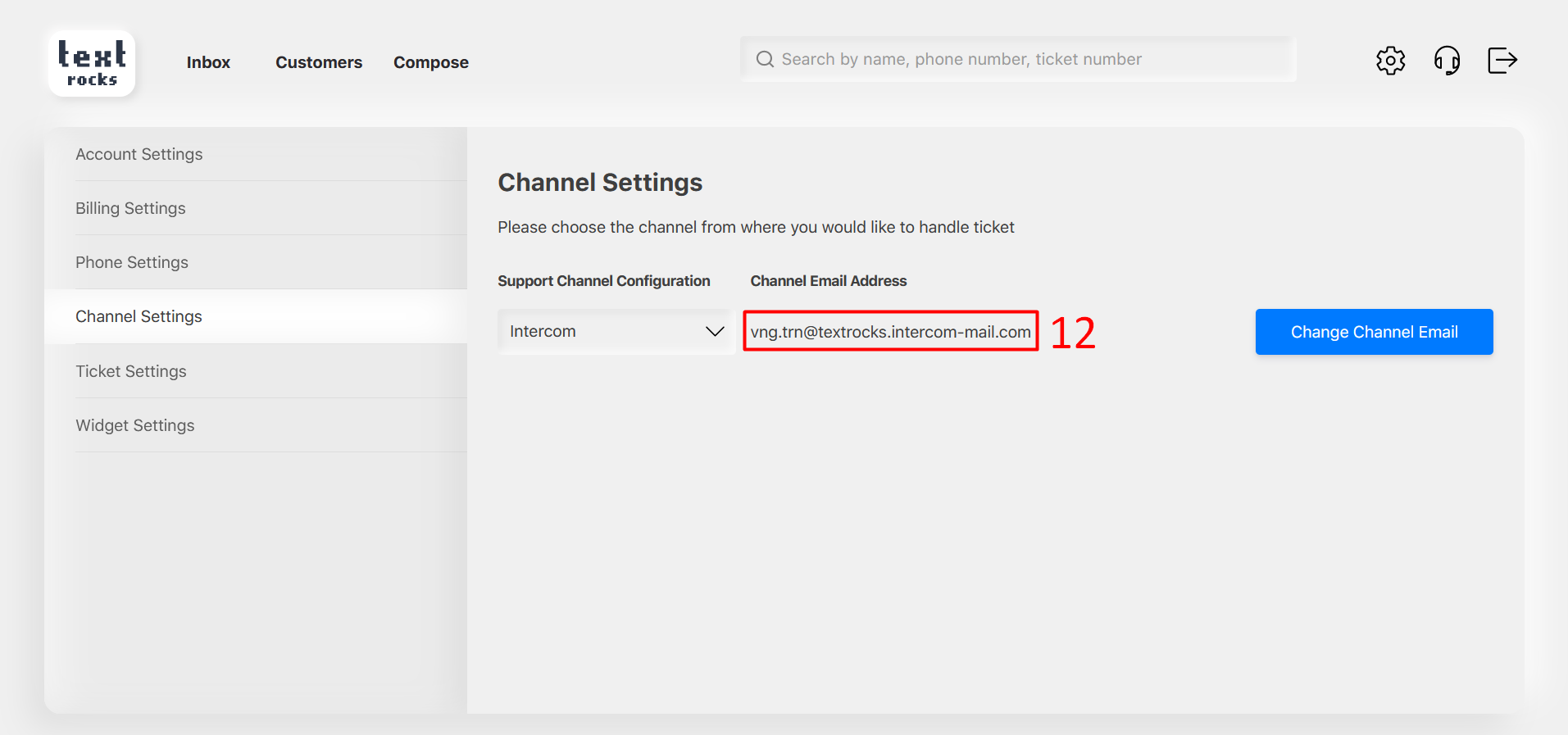
Step 12 – Email has been verified.